Example Database Setup
These steps are only needed if you are populating the data yourself. In this example we will use a MongoDB. If your data is provided by a third party, you can skip this section.
It is assumed that you have a MongoDB server running on your localhost or your virtual machine. Refer to the Installation guide for more information on how to install and run MongoDB. It is also assumed that you have a IIIIF image server running on your localhost or your virtual machine. Refer to the Installation guide for more information on how to install and run a IIIF image server.
The whole example dataset is to be found here: example_data.zip
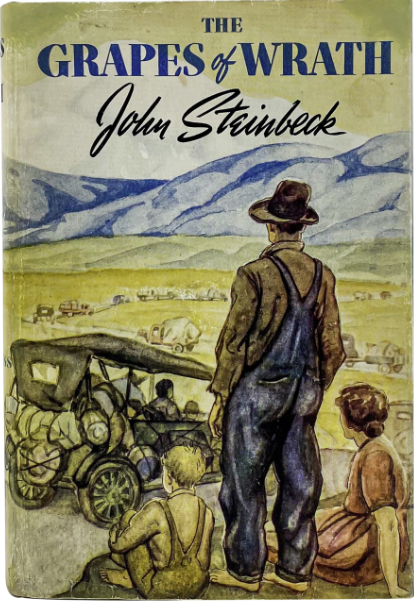
The example data is a collection of 8 books. Each book has a cover image and data about it.
Example Data
How to create your research data is out of scope for this tutorial. However, we will
provide a sample dataset that you can use to follow along with this tutorial. Each
searchable item must be a JSON object. The JSON object must have a unique identifier
field. In this example, we will use the field id as the unique identifier.
Example Data Item:
[
    {
        "id": "1",
        "title": "The Great Gatsby",
        "author": {
            "name": "F. Scott Fitzgerald",
            "gnd": "118540004"
        },
        "source": {
            "info": "http://localhost:8182/iiif/3/gatsby.jpg/info.json",
            "cover": "http://localhost:8182/iiif/3/gatsby.jpg/full/max/0/default.jpg",
            "title_fragment": "http://localhost:8182/iiif/3/gatsby.jpg/0,0,200,200/max/0/default.jpg"
        },
        "year": 1925,
        "pages": 180,
        "genre": "fiction",
        "language": "en",
        "places": [
            {
                "name": "New York",
                "geonames": "5128581"
            },
            {
                "name": "Long Island",
                "geonames": "5128638"
            }
        ],
      "wikidata": "Q168384"
    },

    [...]
]
The example is pretty self-explanatory. The source field contains links to the IIIF image
server. Because, for this example, we have stored the images on the same server as the NDR Core
server, we can use the localhost address. This is not recommended. You should store your images
in long term repository. The title_fragment field is a link to a fragment of the cover,
showing only the title of the book. The places field contains a list of places that are
identified by their geonames id. The wikidata field contains a link to the Wikidata entry
for this book.
Add Data to MongoDB
The following steps will add the example data to your MongoDB. If you are using your own data, you can skip this section.
Note
The following steps assume that you have a MongoDB server running on your localhost or your virtual machine. Refer to the Installation guide for more information on how to install and run MongoDB.
Download the example data:
example_data.zipUnzip the example data
Open a terminal and navigate to the folder where you unzipped the example data
Run the following command to import the data into your MongoDB:
mongoimport --db ndr --collection books --file data.json
This will create a database called
ndrand a collection calledbooks. The data will be imported into thebookscollection.
IIIF Images
The following randomly collected images are used in this example:

|
|

|

|

|

|

|

|
Add Images to IIIF Image Server
The following steps will add the example images to your IIIF image server. If you are using your own images, you can skip this section.
Note
The following steps assume that you have a IIIF image server running on your localhost or your virtual machine. Refer to the Installation guide for more information on how to install and run a IIIF image server.
Download the example data:
example_data.zipUnzip the example data
Open a terminal and navigate to the folder where you unzipped the example data
Move the images to the IIIF image directory. The exact path depends on your configuration.
mv *.jpg /var/www/<project_root>/images
Next Steps
If you followed the Installation and Setup instructions and this guide, you should now have a running NDR Core installation, a MongoDB with example data and a IIIF image server with example images. You can now start to use NDR Core.
You either can follow the Example Project guide or access the administration interface at
http://<your-domain>/ndr_core. The default username is ndr_core_admin and the default
password is ndr_core. You should change the password as soon as possible.